
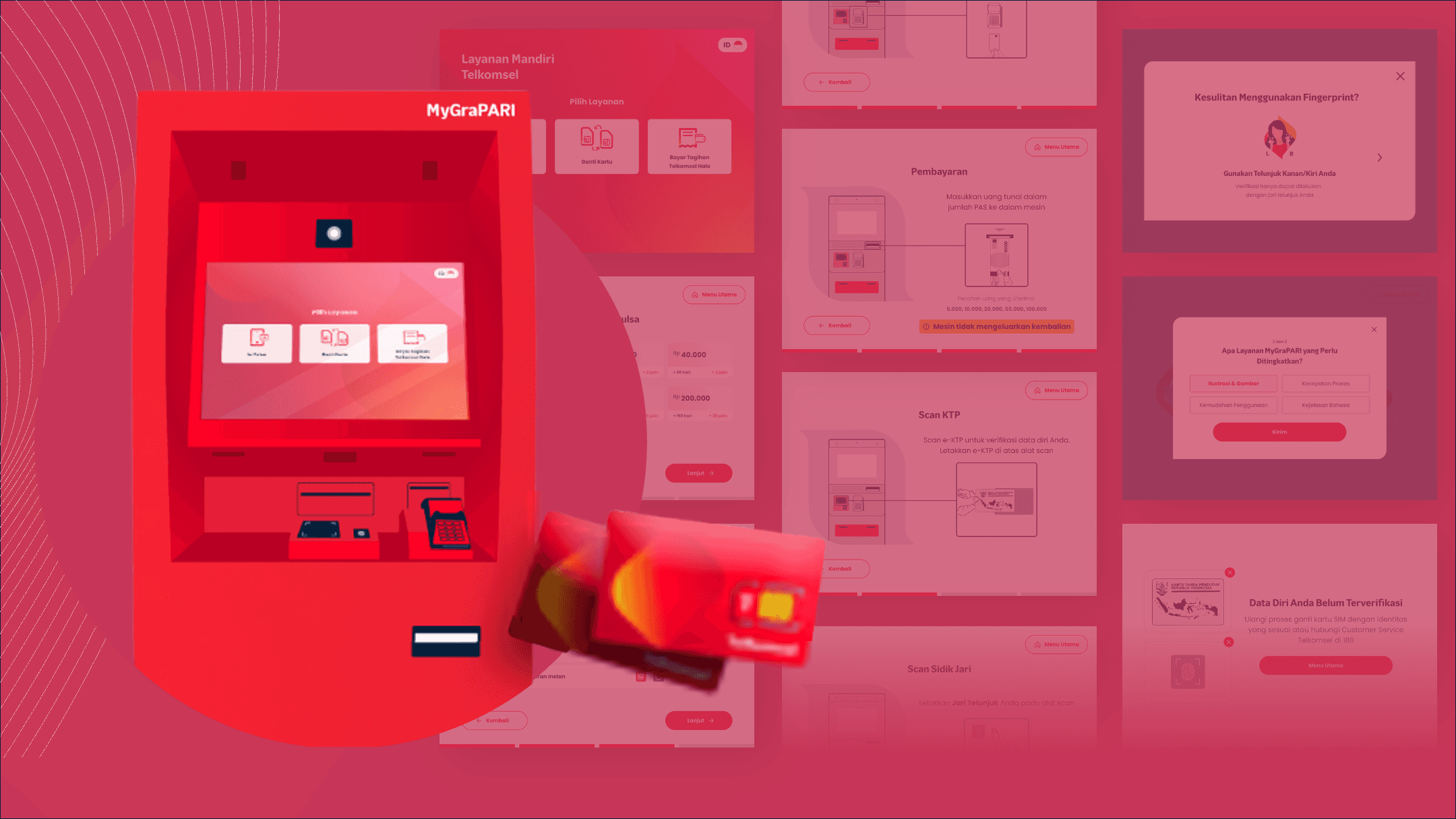
MyGrapari Revamp
How we transformed 410 self-service kiosks across Indonesia to shift 85% of users from physical counters to digital, during a global pandemic.
Client
Telkomsel
Service Provided
UI/UX Designer
YEAR
2025
MY TEAM
UX Researcher
Product Manager
MY ROLE
I was responsible for ideating solutions based on the user research, crafting the user journey, and developing wireframes and high-fidelity designs for the MyGraPARI self-service kiosk interface. My role extended to constructing fully interactive prototypes and designing detailed sketches for animations.
CHAPTER 1 : THE CHALLENGE
When 86% of your customers refuse to use your machines
Picture this: You have 410 shiny self-service kiosks spread across Indonesia. But there's a problem, nobody wants to use them. Instead, customers line up at the cashier, creating long queues and defeating the entire purpose of having these machines in the first place.
Then COVID-19 hit. Suddenly, this wasn't just about convenience anymore. It became a matter of safety. We needed people to embrace self-service, and fast.
CURRENT CONDITION
86%
Preferred Cashier
14%
Used ATM (MyGraPARI)
410
Kiosks Nationwide
CHAPTER 2 : UNDERSTANDING THE USERS
Getting to know who was (and wasn't) using the kiosks
Before jumping into solutions, we needed answers. Why were people lining up at the cashier when perfectly good kiosks stood empty nearby? What was making them so uncomfortable?
So we went straight to the source: the GraPARI outlets themselves. We watched people interact with the machines, interviewed walk-in customers, and gathered insights from customer service reps who dealt with confused users every day.
Our Research Approach
We used three complementary methods to get a complete picture:
Usability Testing
8 walk-in customers per GraPARI
They barely use the internet, feel lost with anything beyond a bank ATM, and are genuinely scared of doing something wrong.
In-Depth Interviews
8 walk-in customers per GraPARI
One-on-one conversations revealed the emotional side—their fears, hesitations, and past experiences with the kiosks
Focus Group
7 customer service reps from 4 regions
The frontline staff shared patterns they'd observed and common complaints they heard daily
What the initial testing revealed
The numbers told a sobering story. Our baseline usability testing showed that the current system was failing users—especially on more complex tasks.
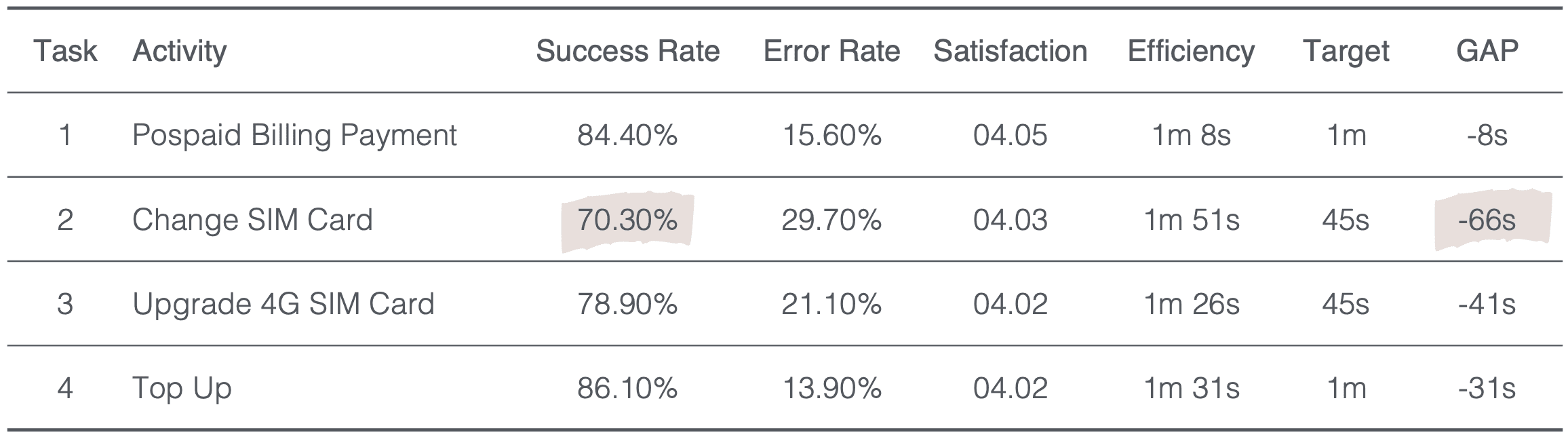
The SIM card change task was a disaster. Nearly 3 out of 10 attempts failed, and even successful attempts took over a minute longer than they should. Users were clearly struggling.
But beyond the numbers, we needed to understand the why. What was actually going through users' minds as they stood in front of these machines?
The three faces of digital adoption
Not everyone approaches technology the same way. We found three distinct groups, each with their own needs and fears.
37%
Digital Laggards
They barely use the internet, feel lost with anything beyond a bank ATM, and are genuinely scared of doing something wrong.
26%
Digital Followers
They're getting there, comfortable with phones and apps, but still need a little hand-holding with new systems.
37%
Digital Leaders
Tech-savvy folks who would happily use the kiosks... if only they actually worked well
What we learned from watching people struggle
CHAPTER 3: DEFINING THE PROBLEMS
From research insights to actionable challenges
With all our research data in hand, we gathered for an affinity mapping session. Sticky notes covered the walls as we grouped similar insights, looking for patterns. Three major themes emerged—three fundamental problems that were keeping people away from the kiosks.

Service Easiness

Transaction Time

Clear Visibility Status
Plus, technical issues compounding the UX problems
The focus groups with customer service reps revealed that poor UX wasn't the only culprit. Hardware and ergonomic issues were making things worse:
Hardware Capability
Unreliable EDC & bill acceptor performance
Overly sensitive scanners causing false reads
Missing status indicators leaving users confused
UI/UX & Copywriting
Confusing error messages with no clear action
Poor visual hierarchy and cluttered layouts
Technical jargon that users don't understand
Design Ergonomics
The Core Insight
Users weren't avoiding the kiosks because they were lazy or tech-illiterate. They were avoiding them because the kiosks made them feel stupid. And nobody wants to feel stupid in public.
Our job wasn't to educate users. Our job was to design something so intuitive that education wouldn't be necessary.
CHAPTER 4: THE SOLUTION
From insights to ideation to implementation
Armed with these insights, I got to work. My goal wasn't to create the flashiest interface—it was to make something so simple that even my technophobic aunt could use it without panic.
Our Design Principles
Every decision we made was guided by three core principles that directly addressed our users' needs:
Make it stupidly simple
Speed things up
Clear Communication
Mapping the user journey
Before jumping into pixels, we needed to understand the complete flow. We mapped out every step a user would take.
I Use the "Change SIM Card" task for the use case example (since it had the worst performance)

The complete journey from selecting the service to receiving the new SIM card. Each step was carefully considered to minimize friction and guide users smoothly through the process.
Wireframing the solution
With the flow mapped, I started sketching wireframes. These low-fidelity mockups let us quickly test different layouts and information hierarchies without getting distracted by colors or fancy graphics. The goal was to nail the structure first.
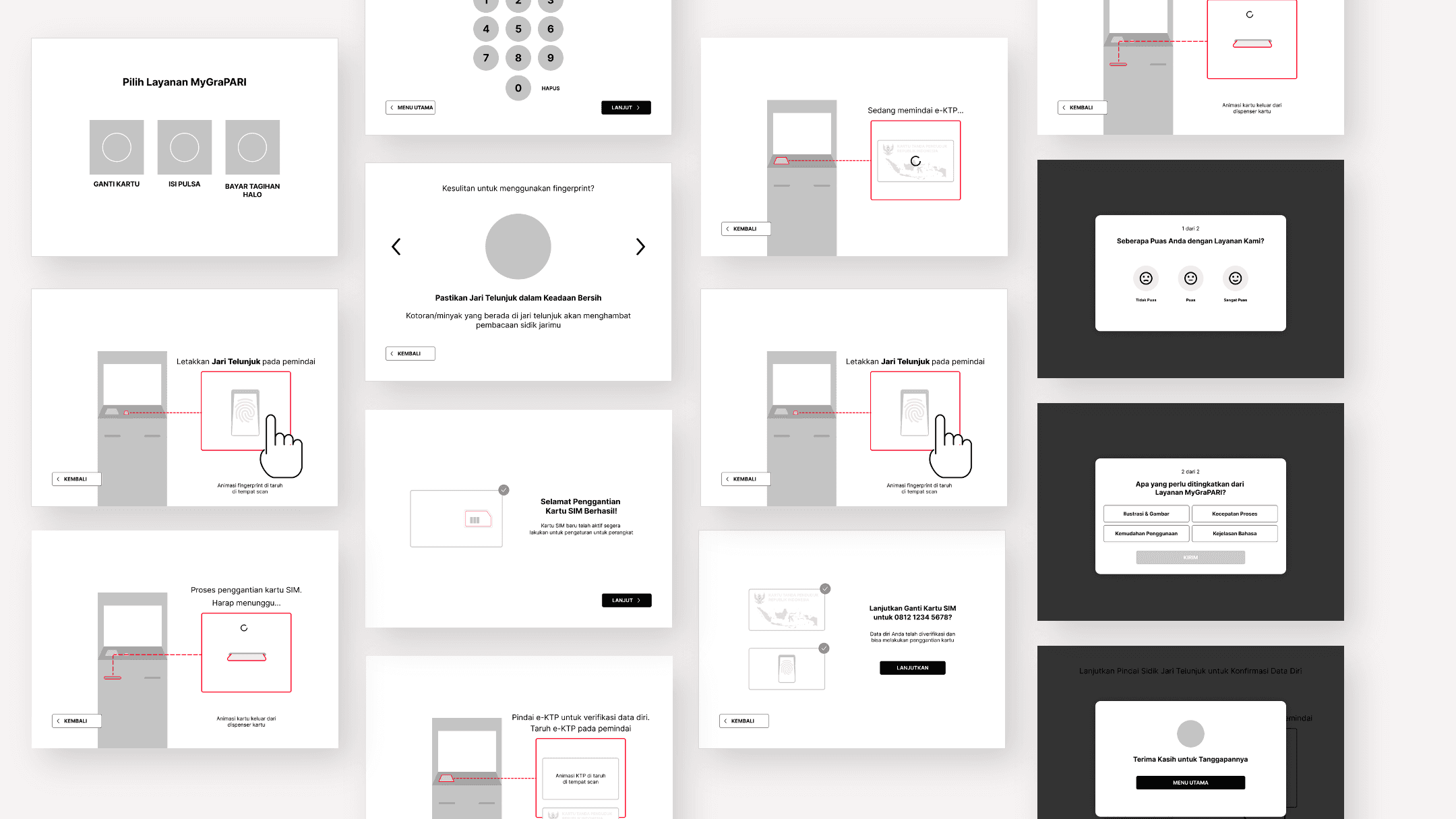
Key wireframing decisions
Every decision we made was guided by three core principles that directly addressed our users' needs:
Progressive Disclosure
Visual Over Text
Always Oriented
After several rounds of internal reviews and quick paper prototype tests, we had wireframes that everyone felt confident about. Time to make them beautiful.
CHAPTER 5: THE DESIGN
Here's what I actually built
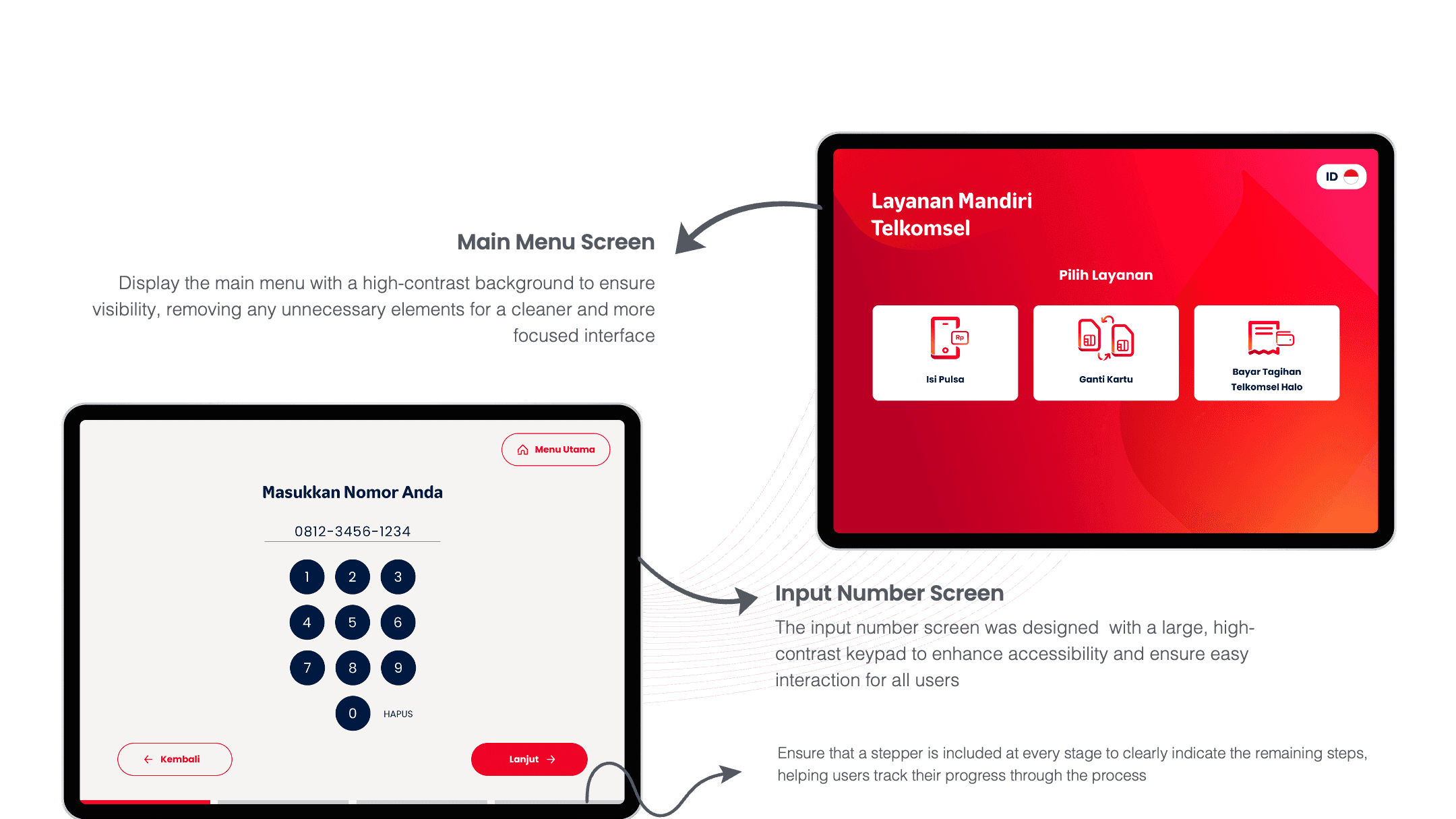
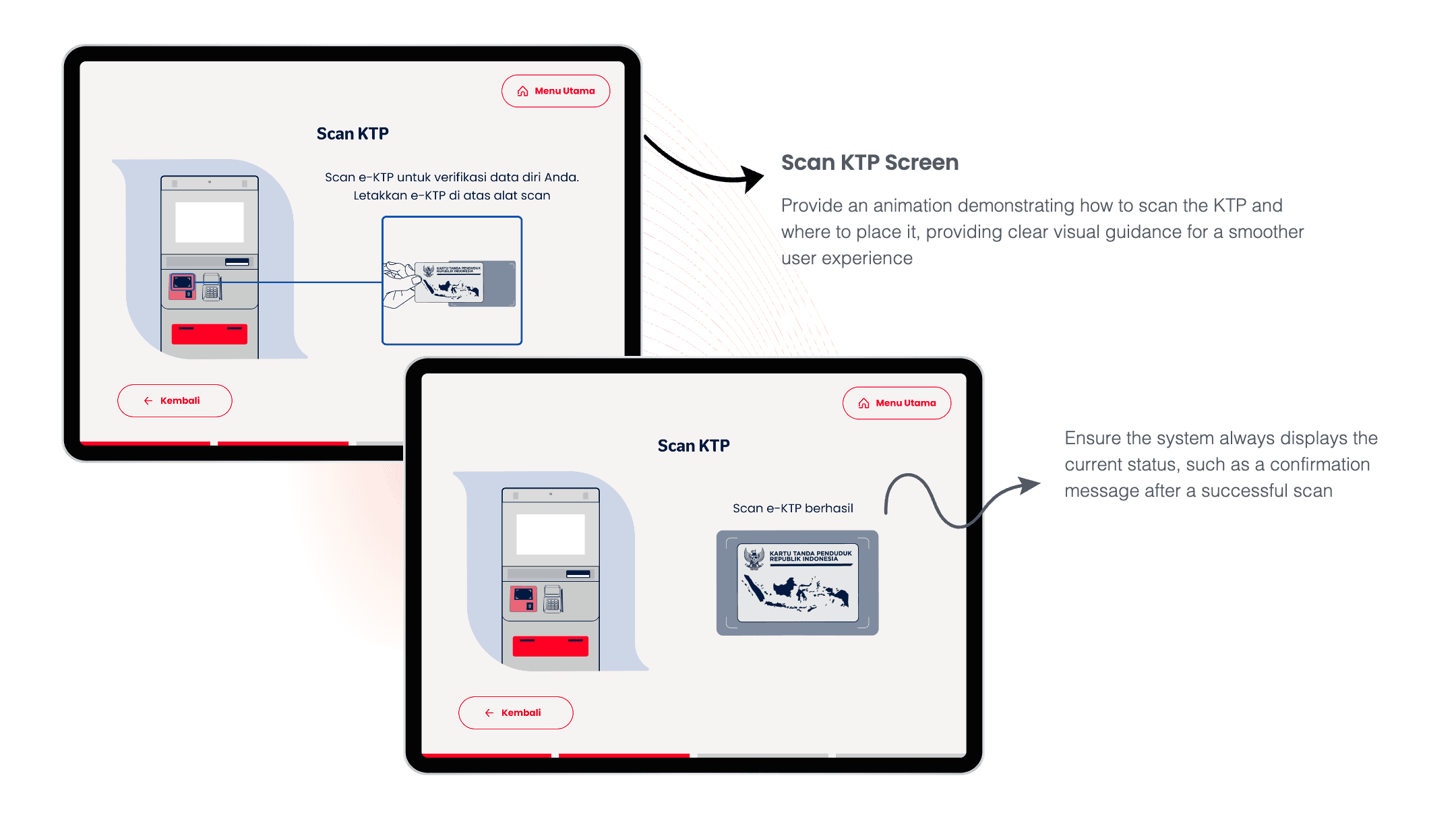
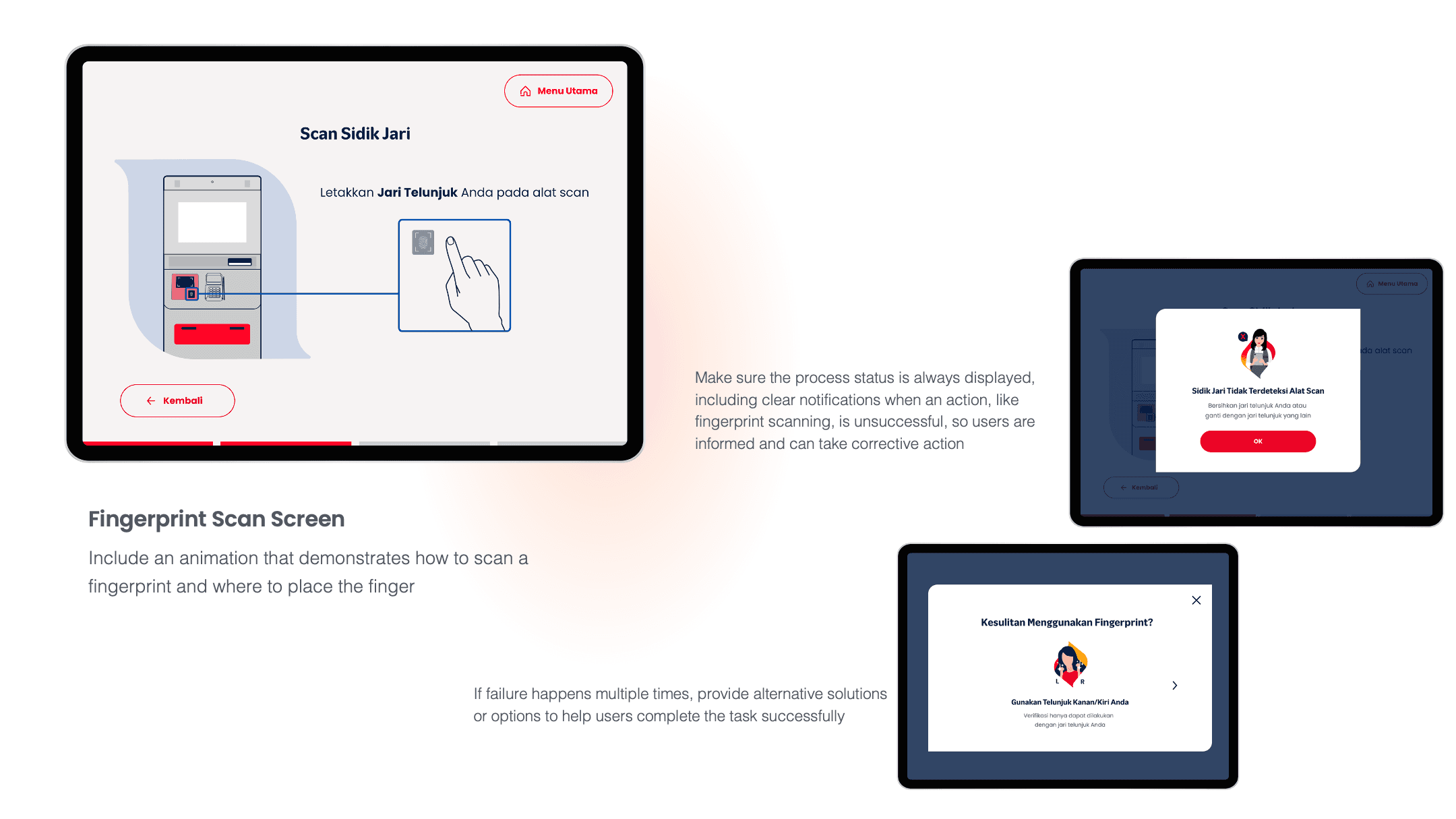
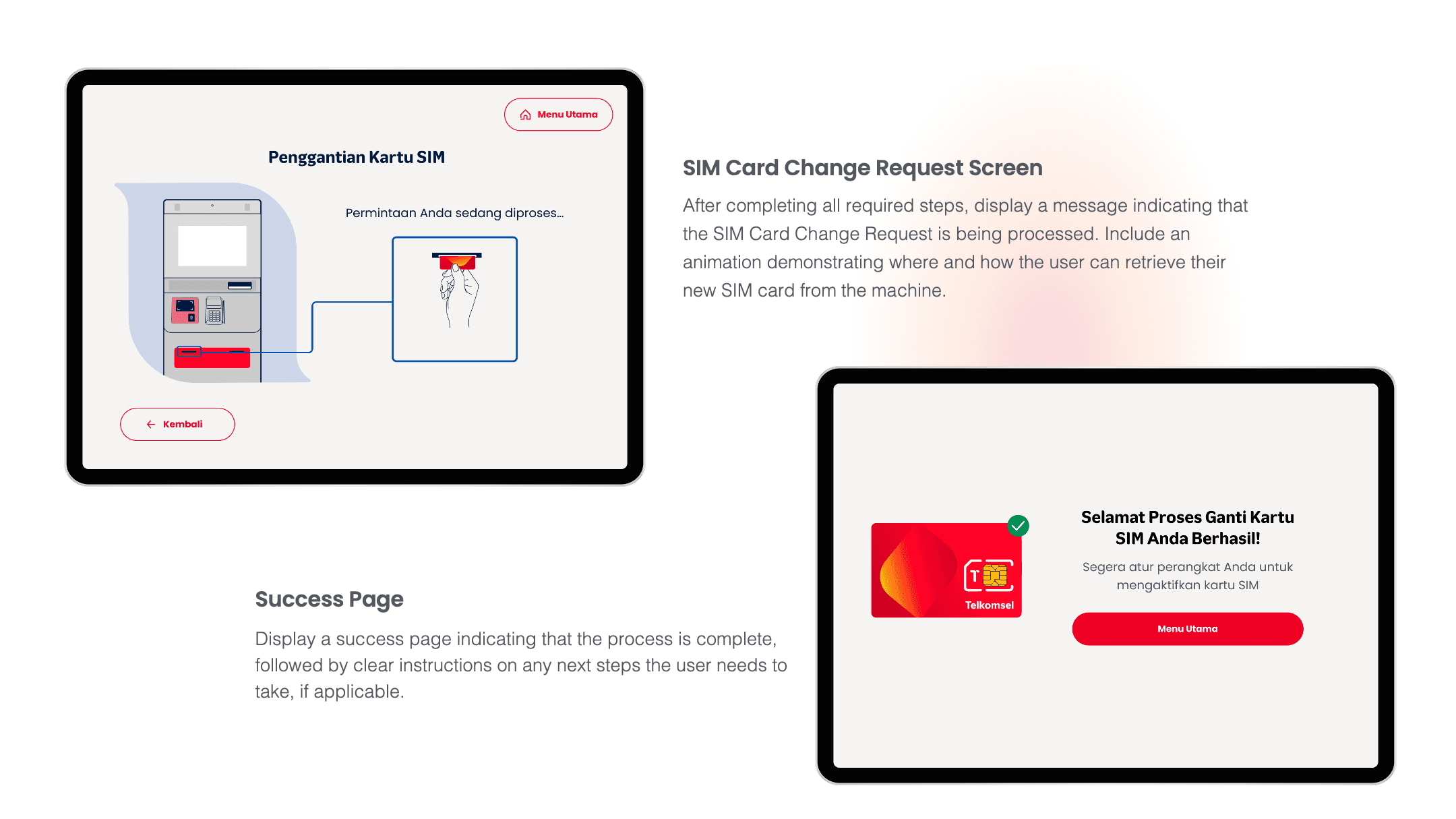
After weeks of research and iterations, here's the final interface that's now live on 382 kiosks across Indonesia. Every element was carefully crafted to reduce cognitive load and guide users effortlessly through their transactions.
Building the design system
With approved wireframes in hand, it was time to bring them to life. Since there was no existing UI kit for the kiosks, I built the design system and high-fidelity screens in parallel—defining colors, typography, and components as I designed each screen. This iterative approach let me test and refine the visual language in context rather than in isolation.
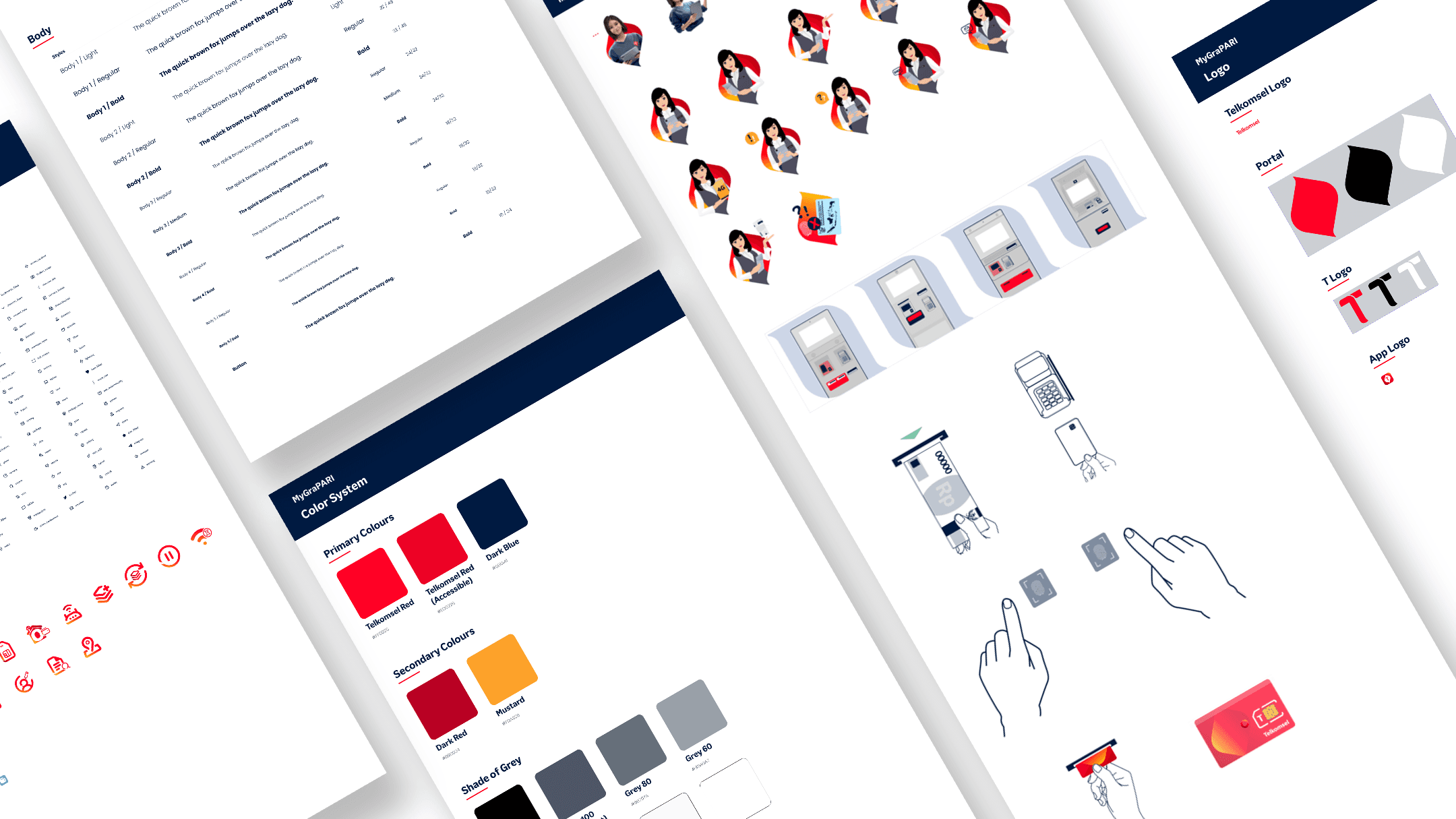
After several rounds of internal reviews and quick paper prototype tests, we had wireframes that everyone felt confident about. Time to make them beautiful.
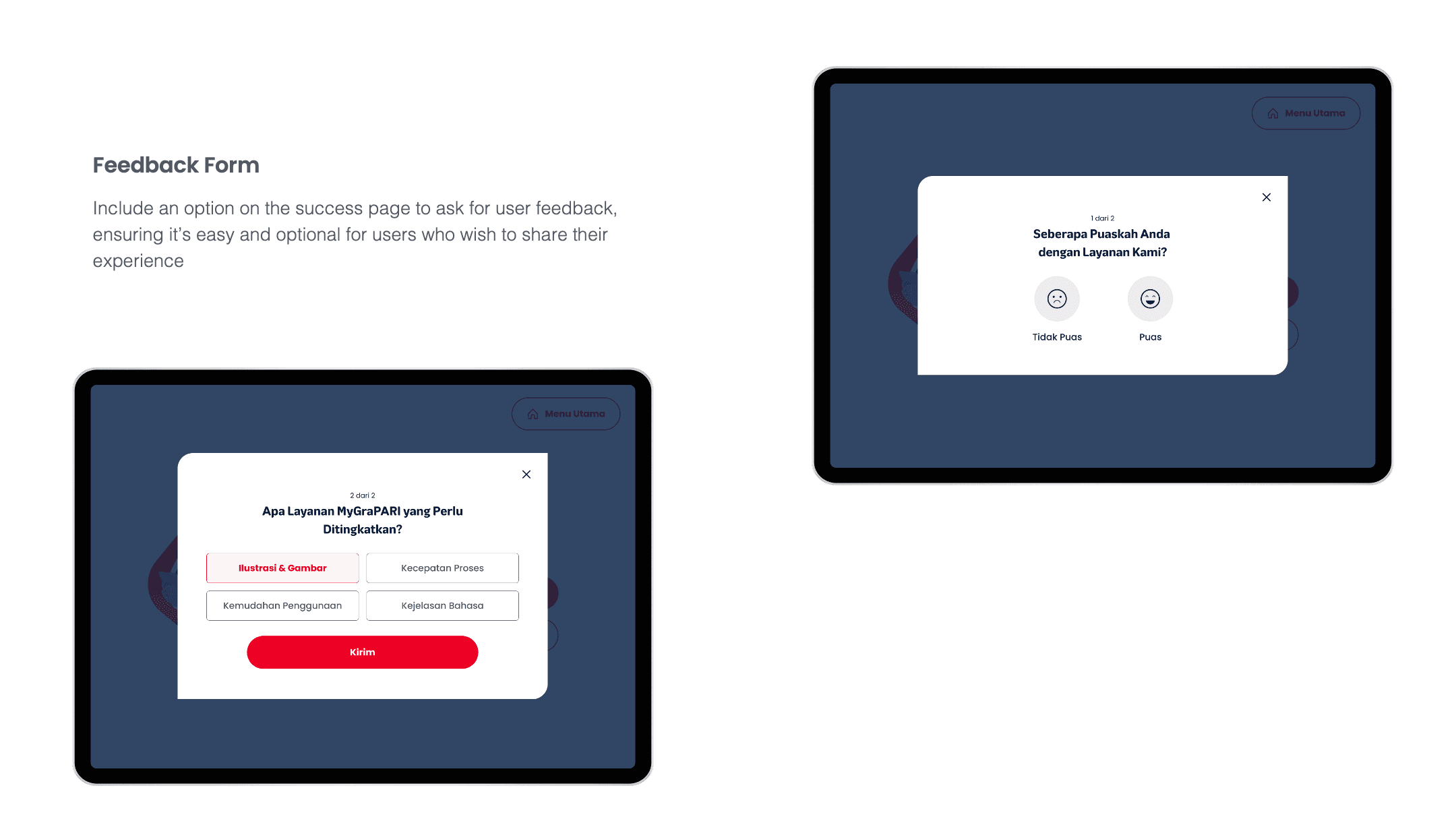
The complete interface
Here's how the design system comes together across the entire user journey. Each screen demonstrates the principles we established—simplicity, speed, and clarity.
CHAPTER 6: VALIDATION AND RESULT
Testing confirmed what we hoped—the new design actually works
After weeks of research and iterations, here's the final interface that's now live on 382 kiosks across Indonesia. Every element was carefully crafted to reduce cognitive load and guide users effortlessly through their transactions.
First, we validated the design
Before rolling out to 410 machines nationwide, we ran another round of usability testing with the new design. The improvements were dramatic across every metric.
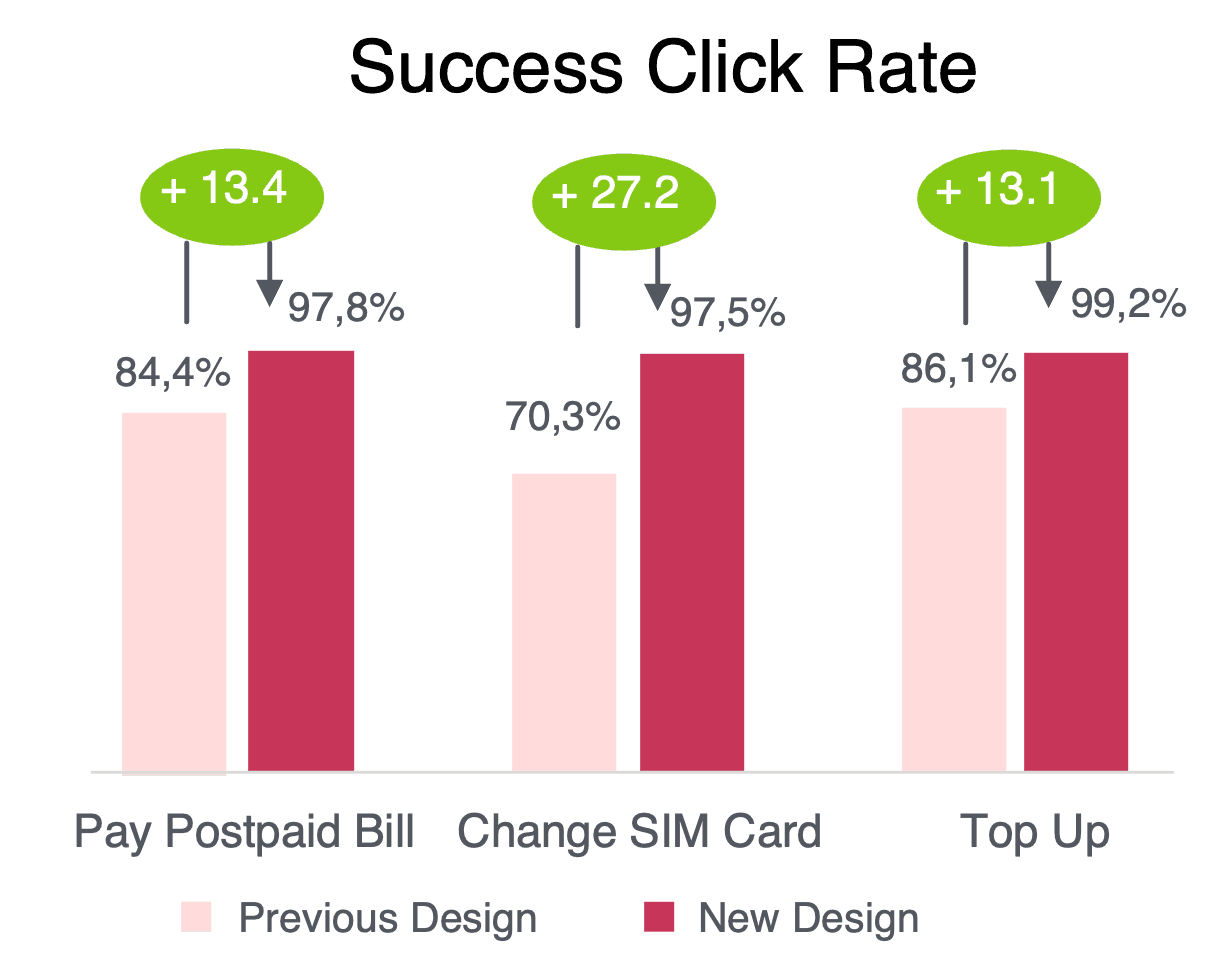
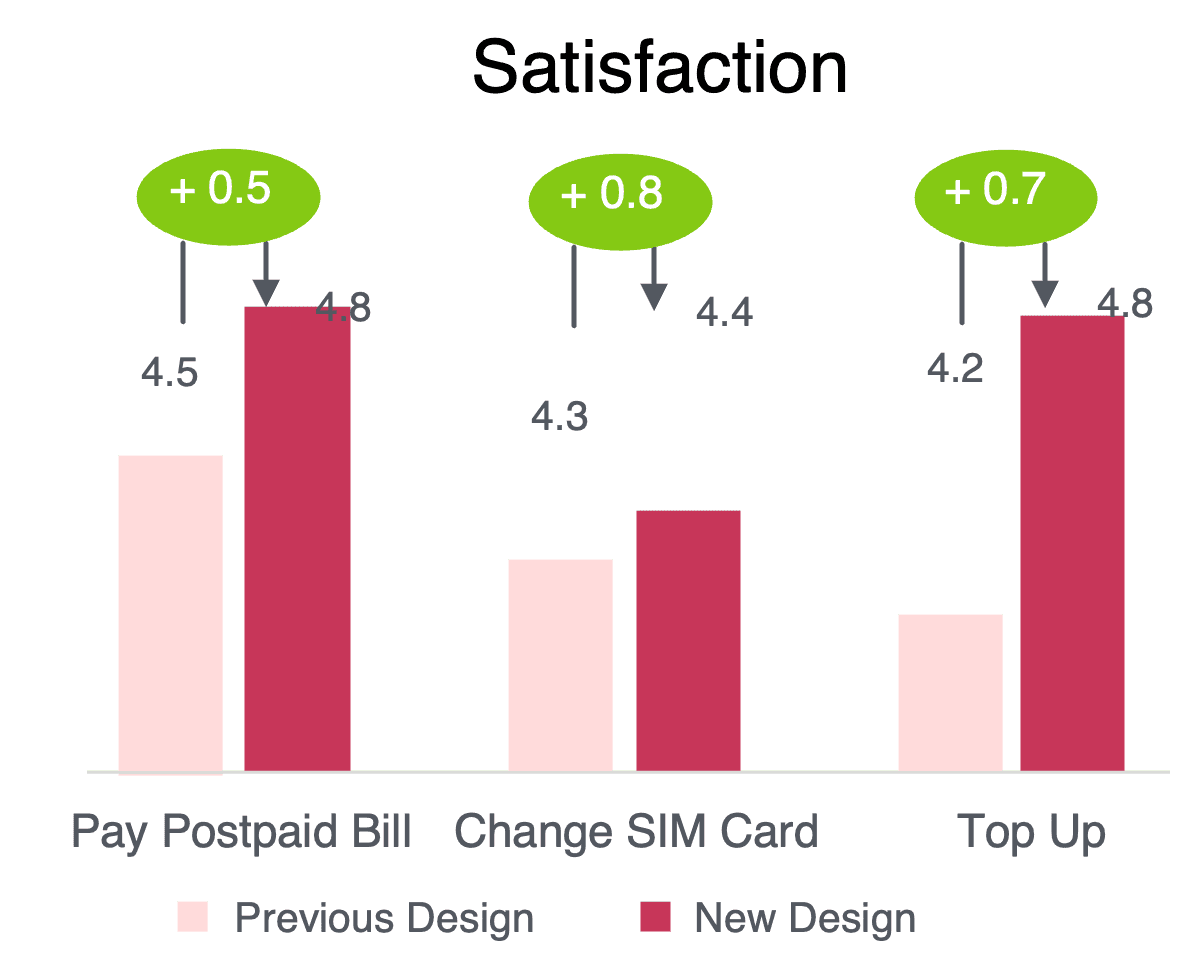
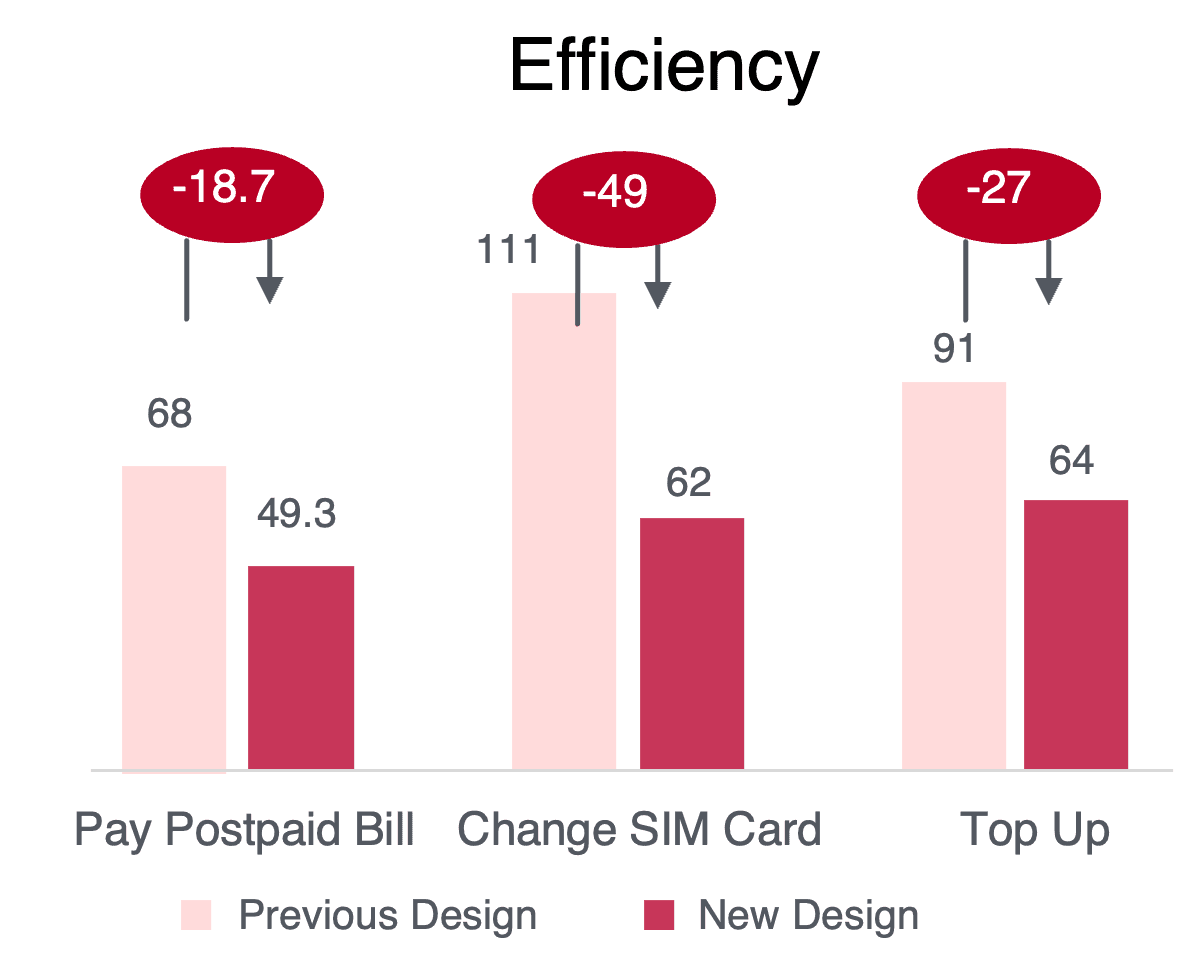
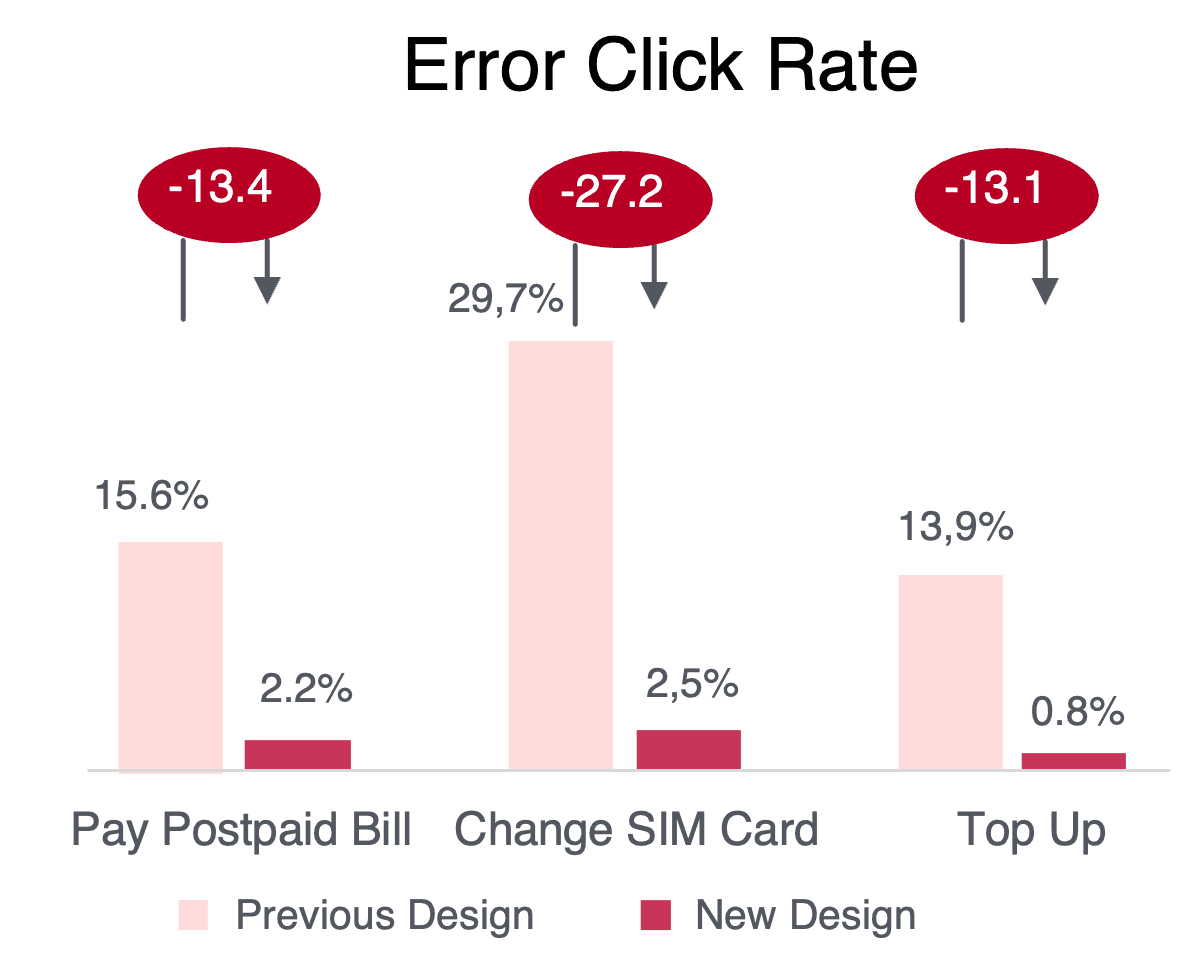
The SIM card change task—our worst performer—improved by over 27 percentage points. Users could now complete it with 97.5% success, and error rates dropped from nearly 30% to just 2.5%.
Then came the real-world test
Three months after launching the new design across 382 machines (with 28 more to go), the transformation exceeded our wildest expectations.
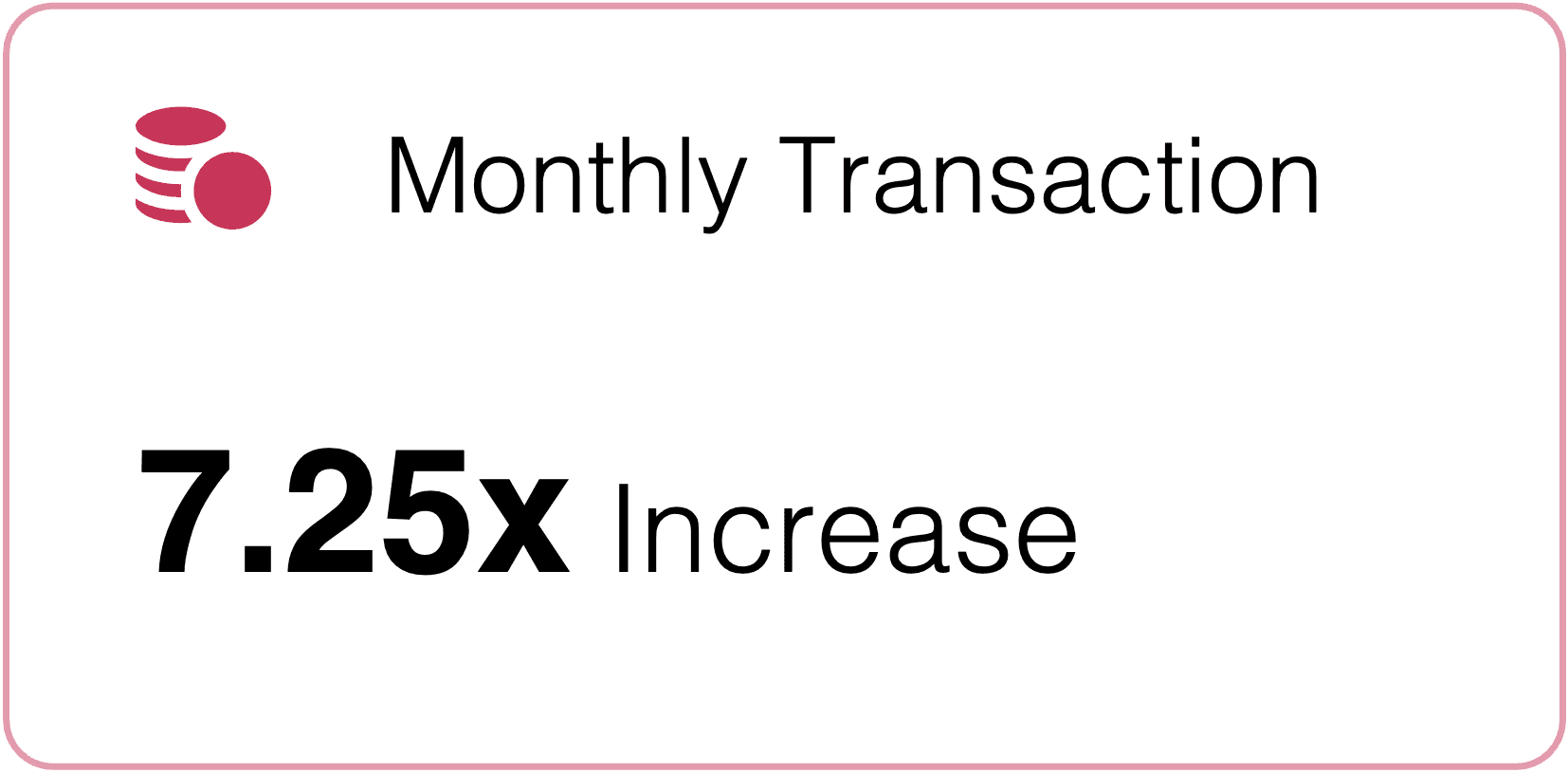
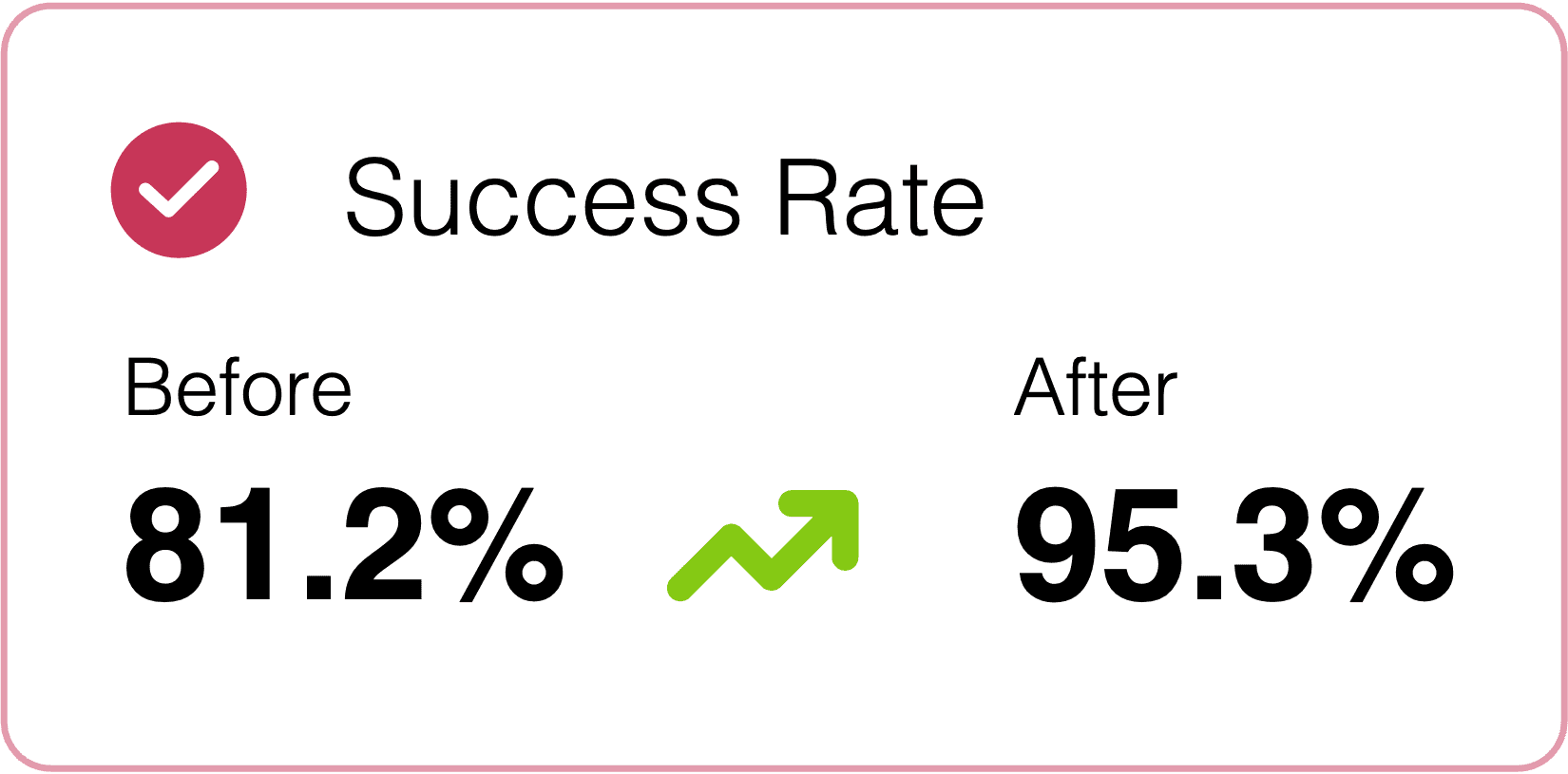
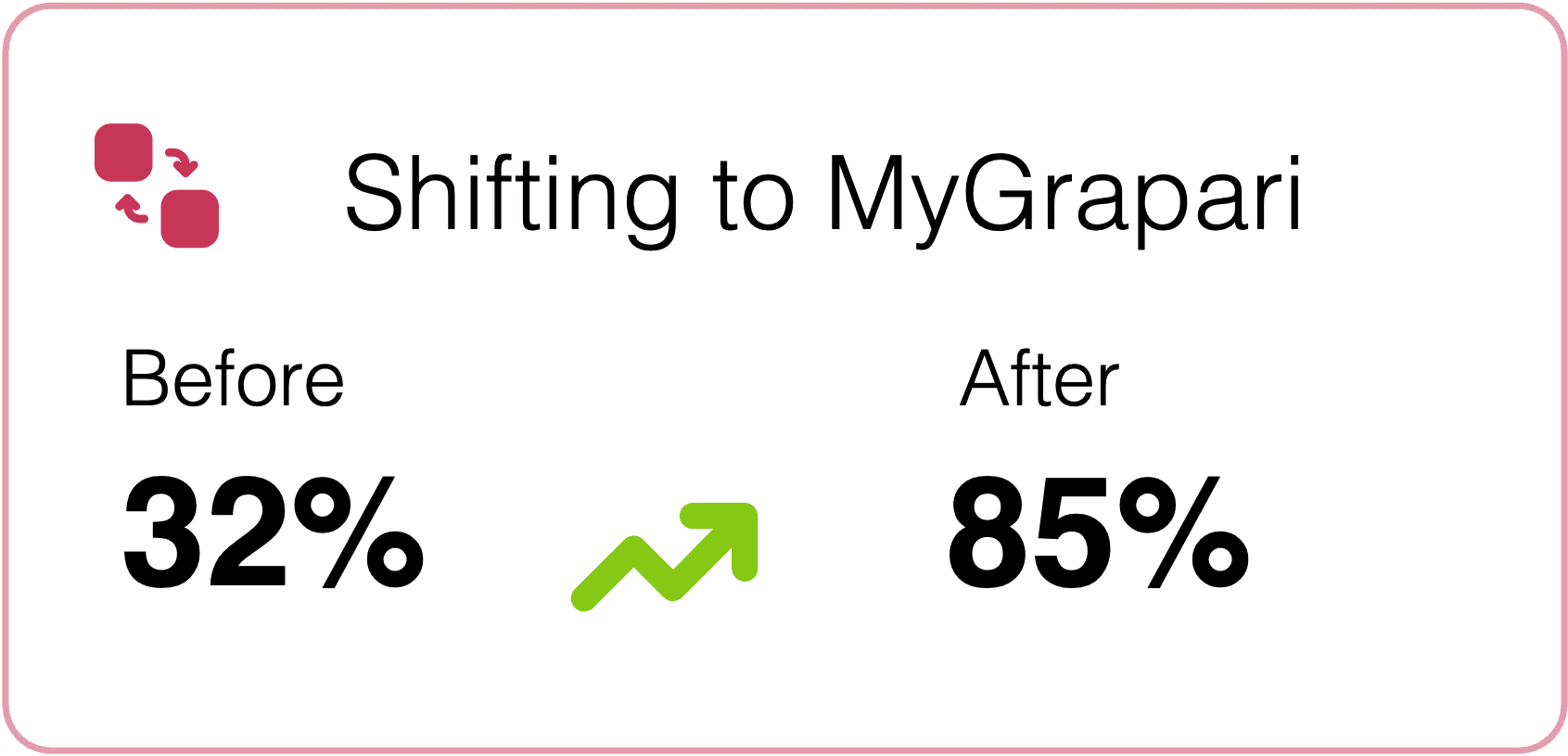
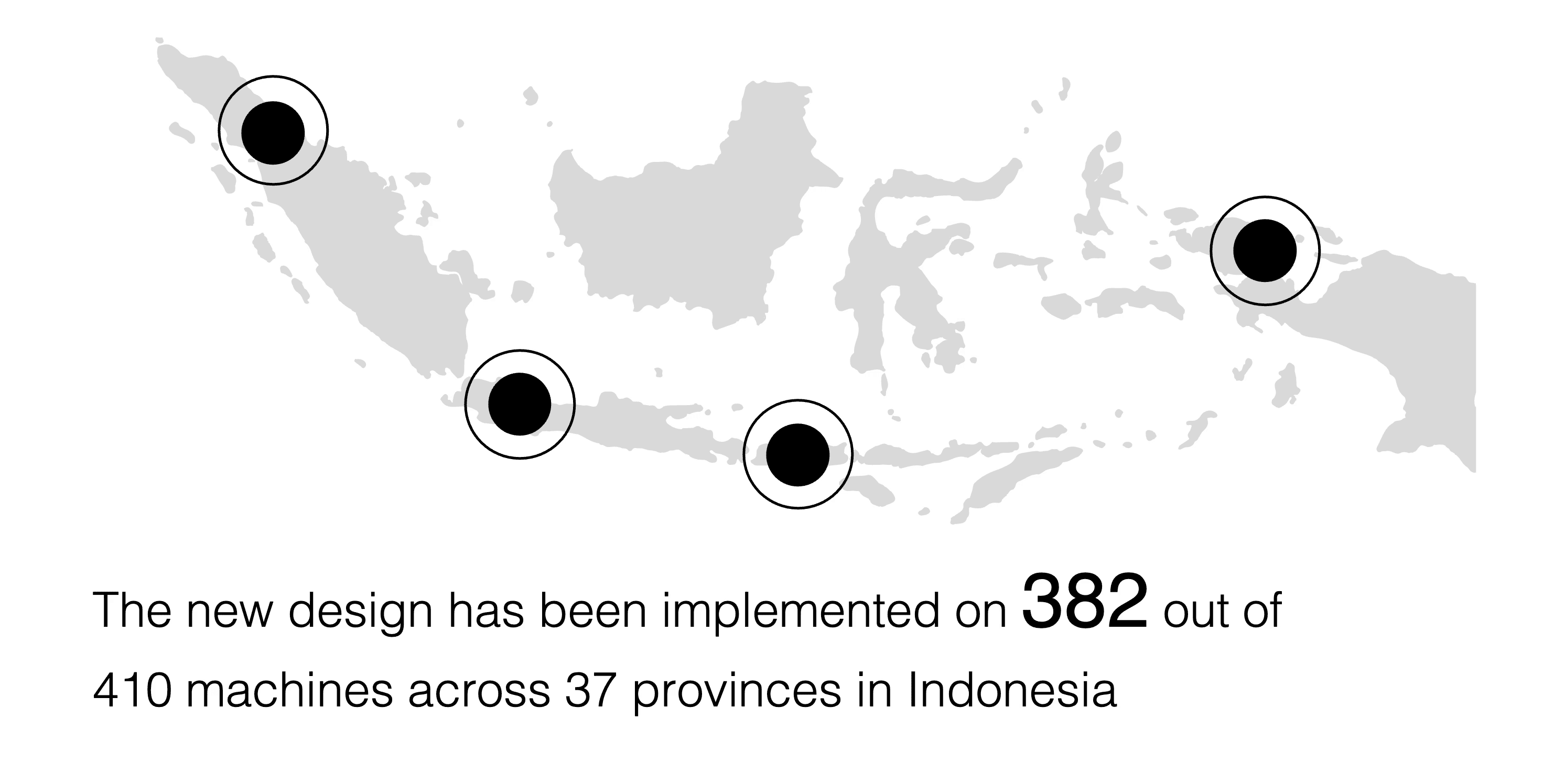
We didn't just meet our goal of 75% self-service adoption—we exceeded it by 10 percentage points. More importantly, we made life easier and safer for millions of people across Indonesia during a pandemic.
CHAPTER 7: WHAT I LEARNED
Reflections on designing for everyone
This was my first time designing an ATM-style interface. I quickly learned that accessibility matters more than anything else. Function over flash. If it doesn't work for everyone, it doesn't work.
— My biggest takeaway
Design for the person who's scared, not just the person who's smart
This project taught me that good design isn't about showing off what you can do—it's about making technology invisible. The best interface is one that people don't even notice because everything just... works. When your users range from tech-savvy millennials to people who've never used anything beyond an ATM, you have to design for the lowest common denominator. And that's not a bad thing—that's inclusive design.
TAKEAWAY
Sometimes the prettiest solution isn't the right solution. Sometimes the right solution is the one that makes someone's grandma feel confident enough to use a machine instead of standing in line for an hour.
More Projects Worth Exploring

© 2026 — Designed by Nindy A Dewi • Made in Framer